


AI for technical drawings and CAD file analysis
The AI solution that actually understands what’s on your technical drawings.
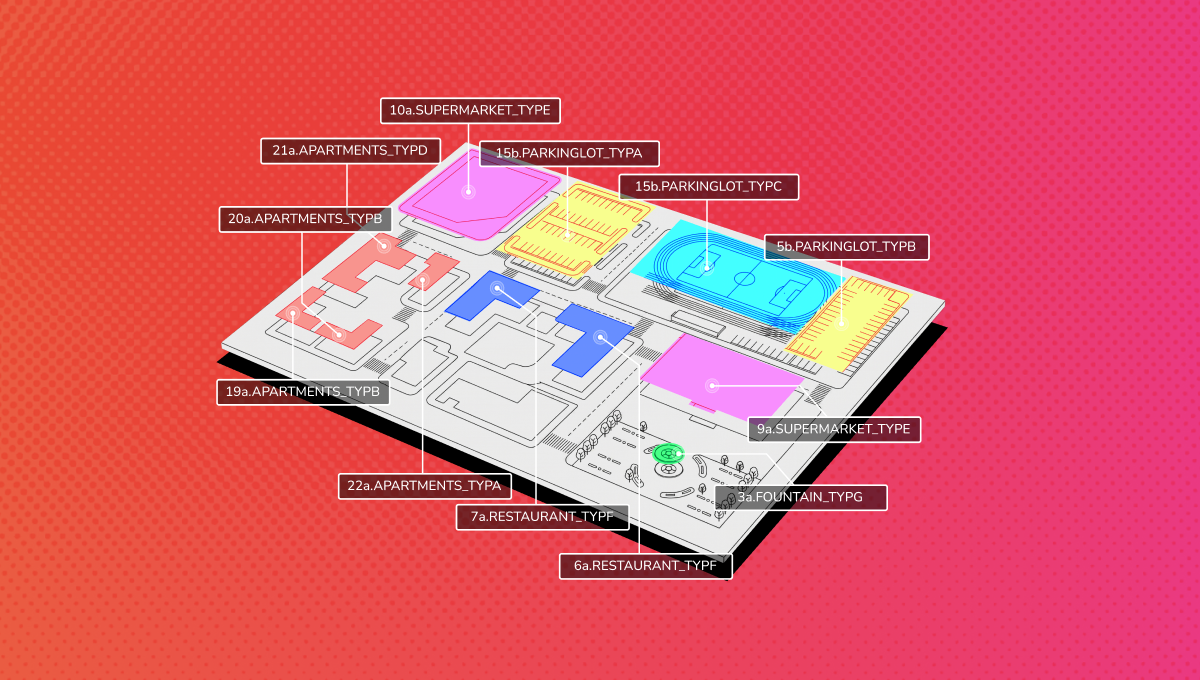
Manufacturing engineering teams lose hours of specialist time on tasks that should take minutes, and most companies never measure the cost. DAC.digital builds AI for technical drawings that reads geometry across CAD/CAM files and other documentation – objects, dimensions, spatial relationships and project characteristics – so engineers can stop doing this work manually. Teams in custom and engineering-to-order manufacturing use these solutions to cut time spent on drawing analysis, quoting, nesting and finding similar past projects.

23 Deloitte Fast 50 Central Europe 2023
Deloitte Fast 50

Forbes Technology Council Official Member
Forbes

1000 Europe’s Fastest Growing Companies
2023 & 2024
Financial Times

Polish Company International Champion 2020
PwC
Master of Innovative Transformation 2021
MIT Sloan Review
Where does engineering capacity get lost?
In engineering-to-order manufacturing, the bottlenecks are predictable: people doing repetitive tasks that don’t need a human.
Get in touch if any of this sounds familiar:
Design changes live in emails and spreadsheets?
Without a single source of truth, modifications get scattered across inboxes, spreadsheets and verbal updates. The wrong version reaches production. Margin disappears.
Quoting requires your best engineers?
A client sends drawings for a custom order, and a senior CAD specialist spends hours on manual analysis before you can even quote. That’s work AI for technical drawings can do instead.
Past projects are unfindable?
You’ve solved this problem before, but your team spends hours searching folders and asking colleagues instead of reusing what already exists.
Nesting is still done by hand?
Optimising part layout on sheet material takes a specialist and hours of work automatic nesting software should handle. Material waste builds up quietly across every production run.
What makes it different?
Every AI tool can search your PDFs today. Ours understands what is inside.
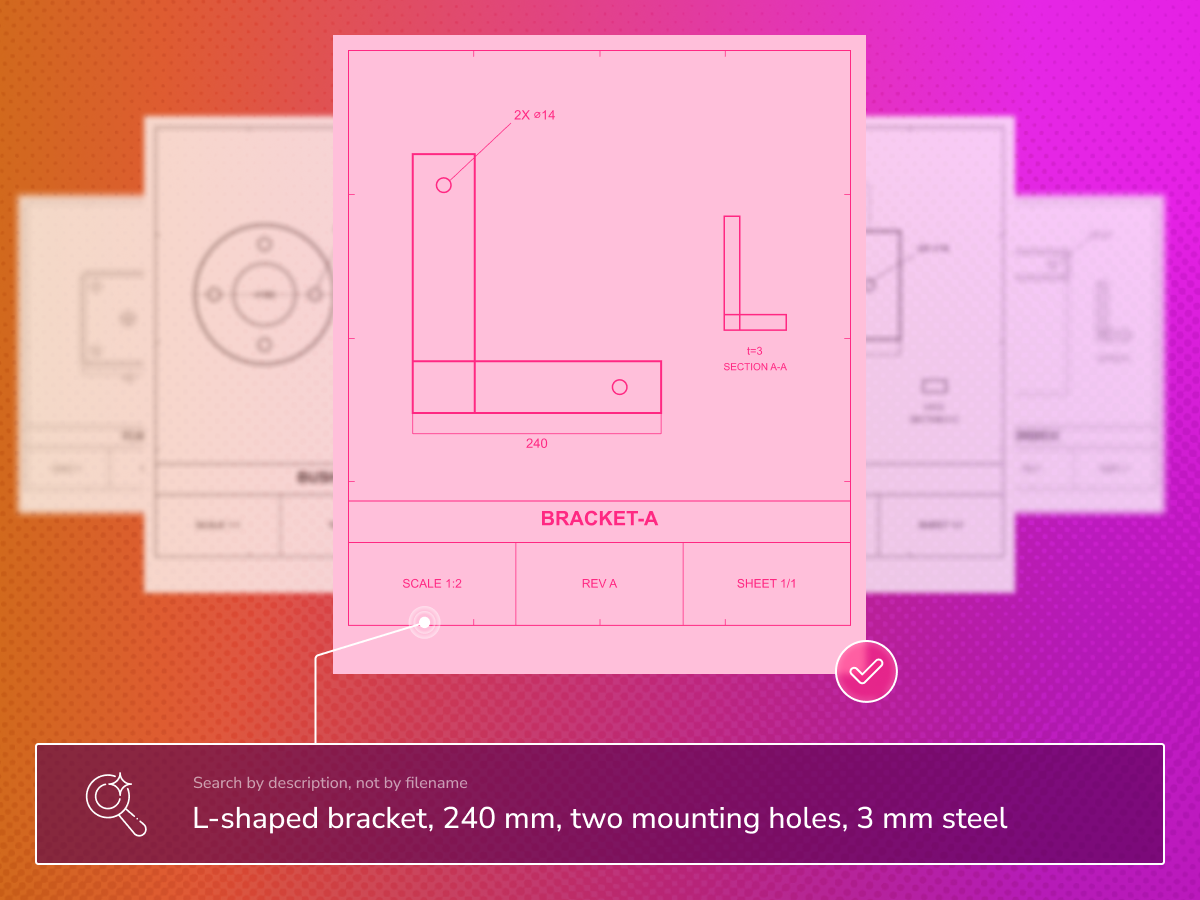
A basic text-based AI, or a generic OCR tool, can find a document that mentions an M6 bolt. Our multimodal, CAD-aware AI recognises the bolt, understands its relationship to the surrounding geometry, and flags that it doesn’t fit the hole. It reads drawings as images, not just text, working across variable layouts and formats instead of relying on fixed forms or keyword matching. It reads objects, dimensions and spatial relationships the way an engineer would, extracts structured data, detects collisions, and can generate geometry from a description. Manual steps are eliminated, not just made faster.
Every reading stays visible and editable: your engineers check AI-extracted data before it moves downstream, so trust is earned through verified output, not blind automation.
Four pillars of our integrated AI for technical drawings solution
We build our solutions in a modular way: you don’t need all features from day one. Every cooperation starts by reviewing your workflow and existing CAD files to find which capability unlocks the most value first.
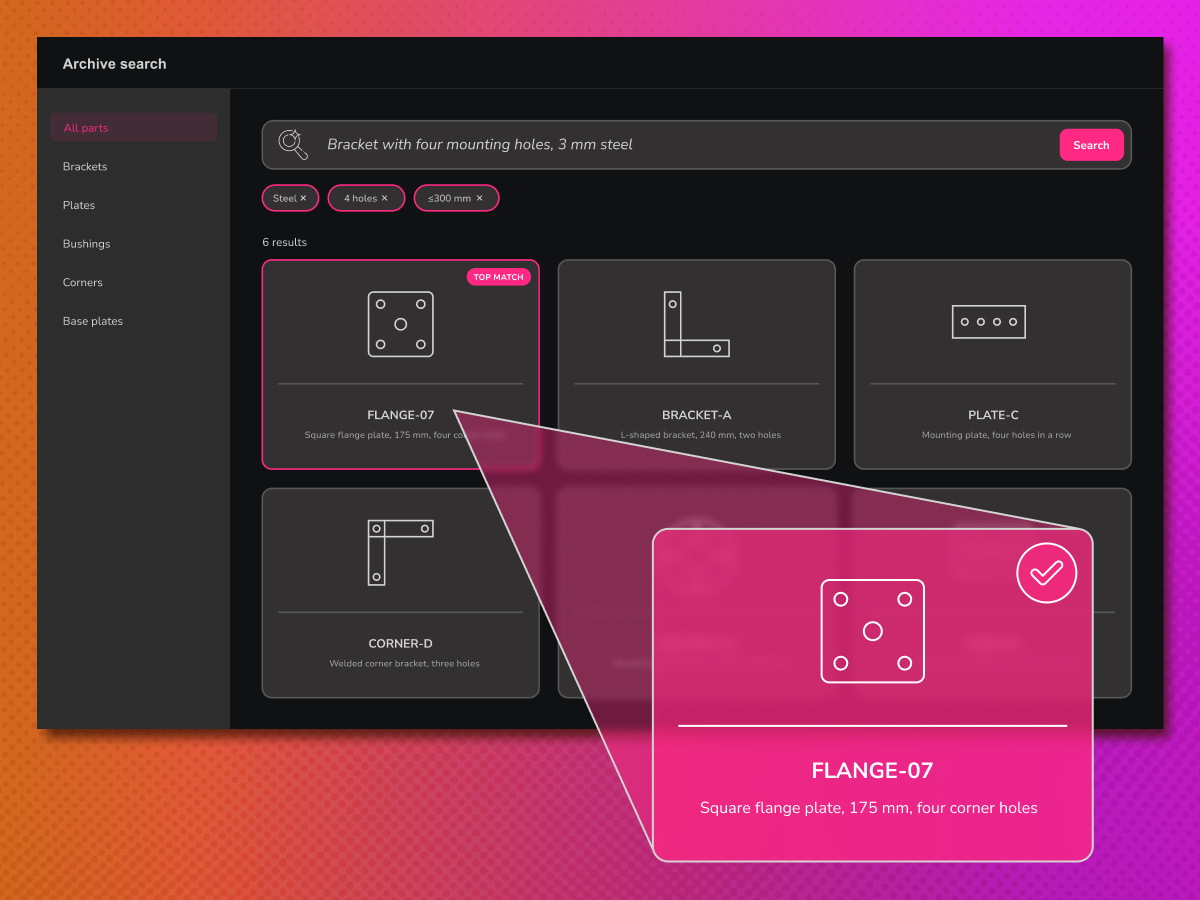
Pillar 1: CAD embedding and semantic search across your drawing library
Technical drawings and related models are embedded and made searchable using semantic technology, across different file formats. Engineers can find similar projects or specific components by describing what they need, without relying on file naming conventions or folder archaeology.
Business impact: Institutional knowledge becomes accessible in seconds. Past work is reused instead of recreated.
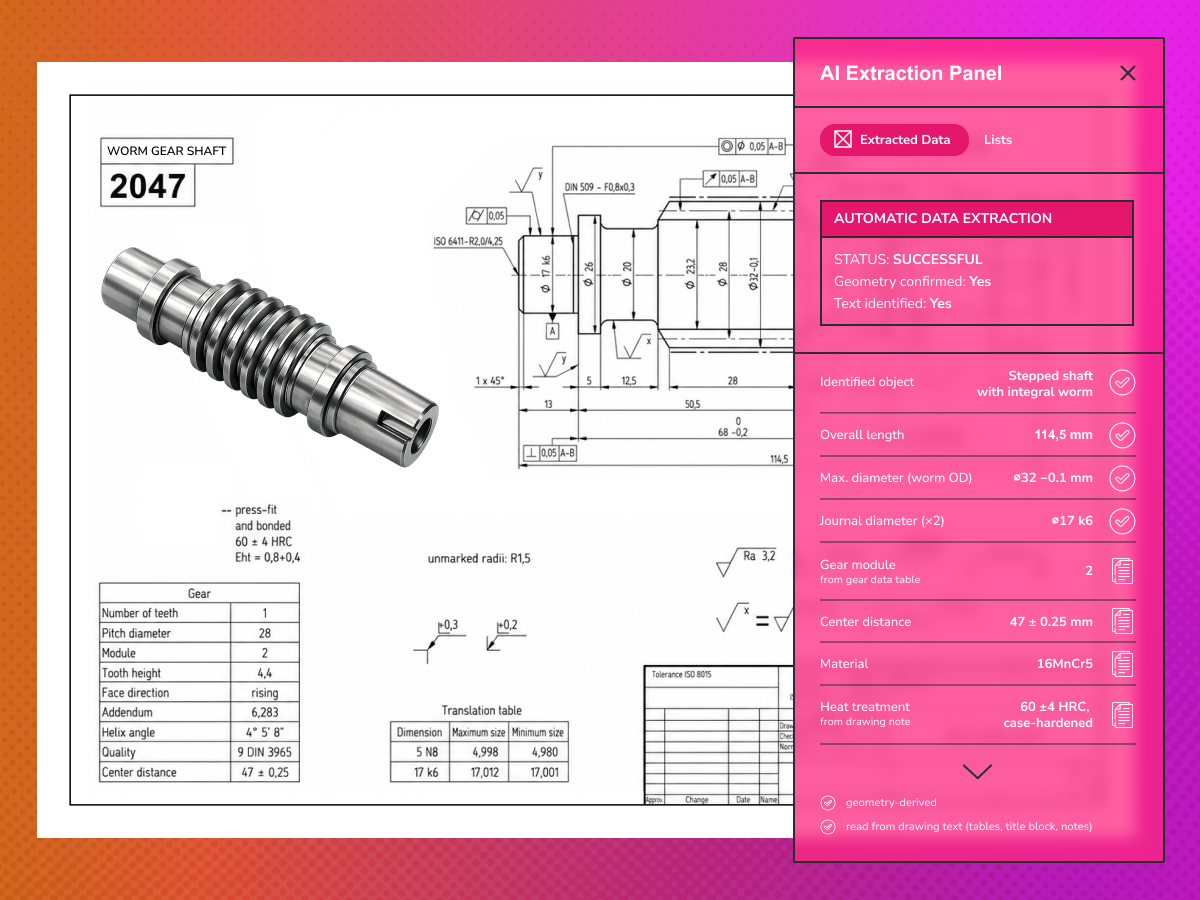
Pillar 2: Drawing intelligence: AI that reads geometry, not just text
The system identifies objects, dimensions, tolerances and spatial relationships on a technical drawing, even without descriptive labels, and extracts structured data automatically.
Business impact: Manual re-entry is eliminated. Quoting is faster. Documentation errors are caught before production.
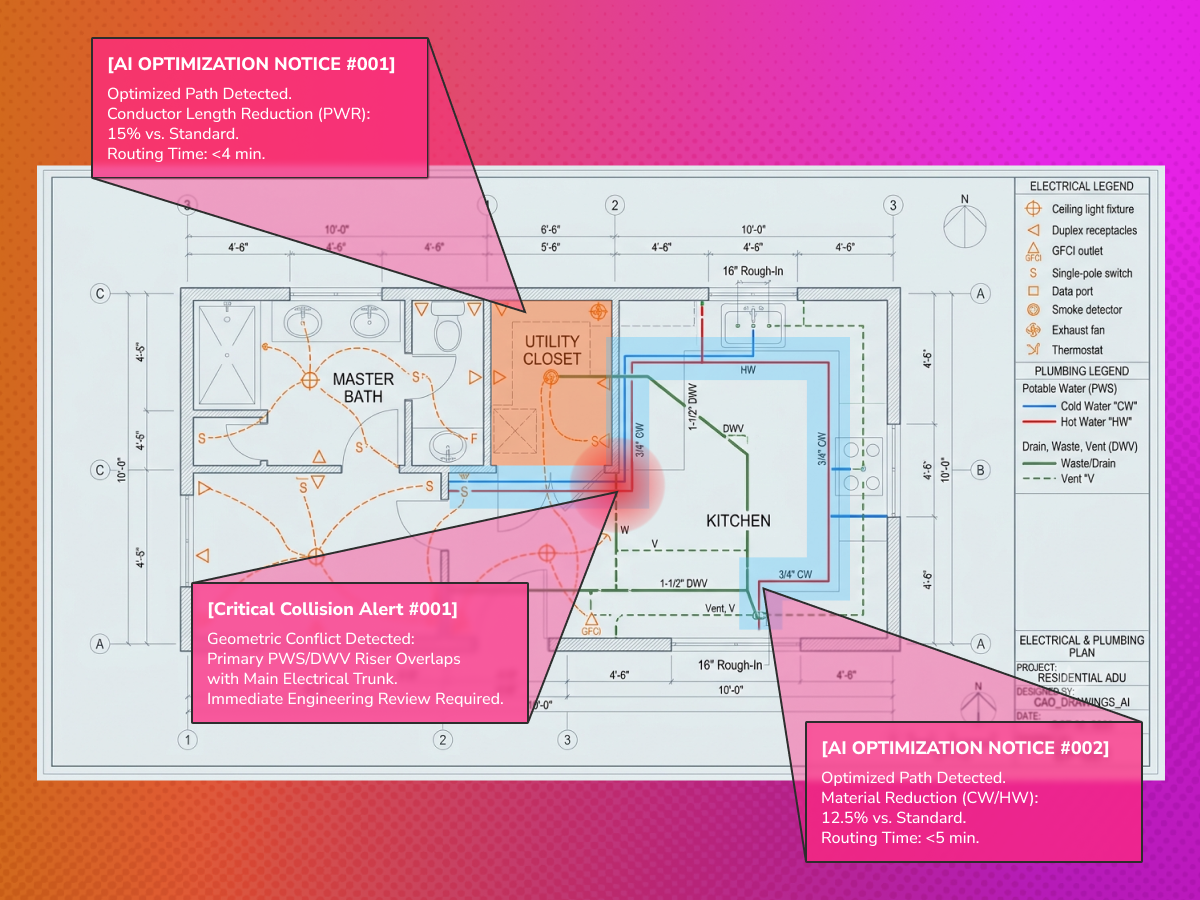
Pillar 3: Spatial Optimisation: AI that places components to minimise waste
A reinforcement learning model that understands spatial constraints, such as nesting parts on sheet material, fitting components within assemblies and detecting geometric collisions. It is trained on the logic of your specific production constraints.
Business impact: Material waste is reduced. Nesting time reduced from hours to minutes. Collision detection before machining.
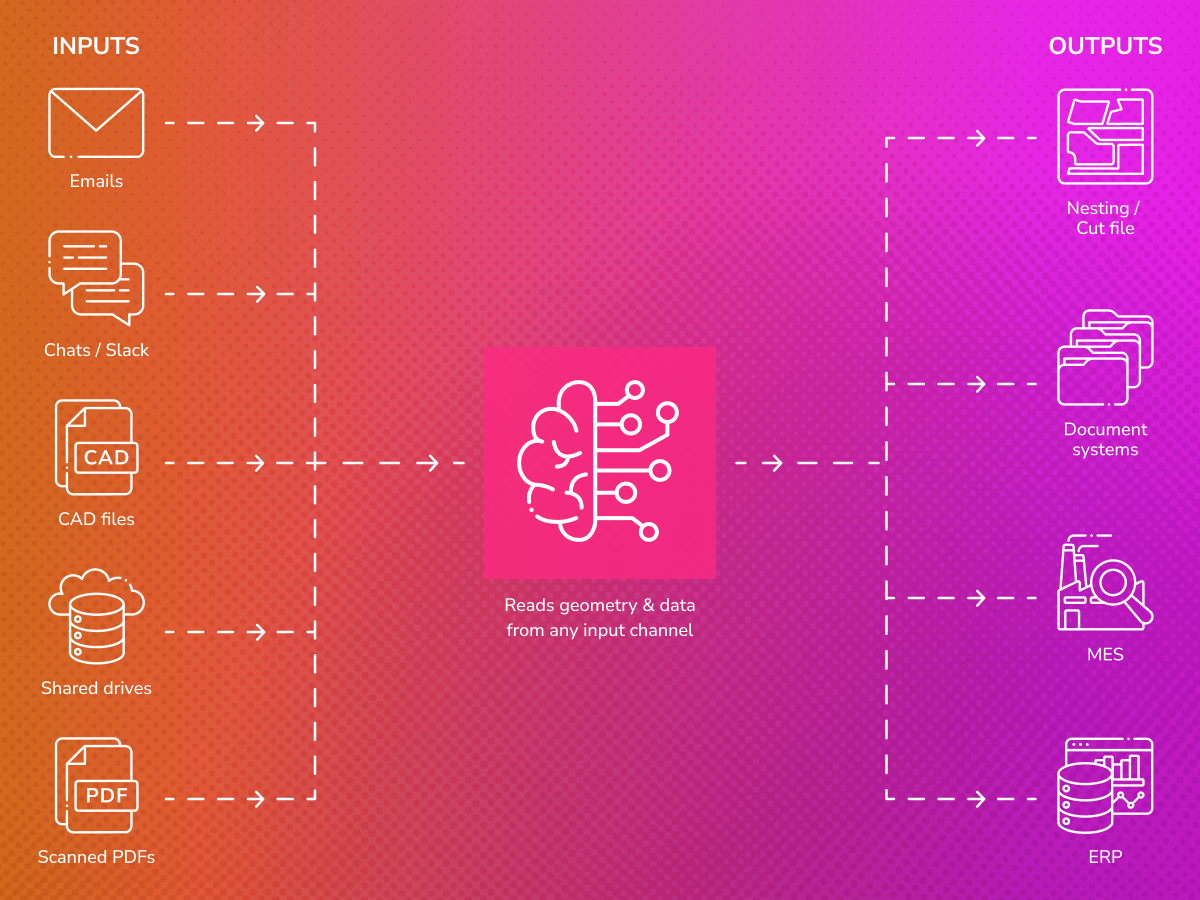
Pillar 4: Integration Layer: a standardised connection to your existing systems
All capabilities connect to your ERP, CAD platform, PLM and document systems without the need for replacement. Built to work alongside your existing engineering tools, not on top of them.
Business impact: No workflow disruption. Engineers can continue to use their existing tools. AI augments the process.
What’s this worth to your team?
Pick up where you left off?
What changes for your team?

Quoting at the speed of demand
Your engineers are now free from manual drawing analysis at the RFQ stage. Quoting time is reduced. More opportunities can be evaluated without increasing staff numbers.
One source of truth for every design change
Design modifications are tracked with a full history. No more scattered versions across emails and spreadsheets. The correct drawing always reaches production.
Project data collected automatically, not chased manually
Design changes, client clarifications, and specification updates arrive across emails, chat threads, and attached files.

Past work becomes a competitive asset
Your entire project archive becomes both searchable and reusable. Engineers can easily find and build on existing work instead of recreating it from scratch.
Proof of value before full commitment
We build Proof of Value with your actual drawings, ERP system and workflow, and agree on success metrics before we start.

Material waste designed out, not inspected out
AI-powered nesting optimisation understands geometry and production constraints. Waste is reduced across every production run, not just when a specialist is available.


Looking to cut manual drawing analysis and quoting time?
Book a FREE intro call to learn more and see how we can automate CAD analysis, quoting and nesting for your production line.

Examples from engineering-to-order operations:
Example 1: Optimal nesting of metal sheet for custom parts in minutes
A client sends an order for 12 custom sheet metal components. AI arranges the parts on the sheet to minimise waste, factoring in size, which edges can share a cut, and which tolerances prevent adjacency.
Result: 4 minutes instead of 2 hours of specialist time.
Example 2: All RFQ data automatically in system after receiving an email
A client sends a quote request with an engineering drawing of a non-standard bracket. Before your engineer opens the file, AI has extracted data from the title block and drawing itself: 4x M6 holes, material grade, surface treatment, critical dimensions with tolerances, and flagged that wall thickness at one location is borderline for your press brake.
Result: Structured data ready before the file is opened.
Example 3: Time engineers spend on quotation greatly reduced with AI project history search
A quotation request is received for custom propeller shafts. AI searches your entire project history and finds three previous projects with matching parameters. The closest one requires only minor modifications to meet the new specification
Result: The engineer starts with half of the work already done, instead of starting from scratch.
Sheet Metal Fabrication
AI for technical drawings that automates nesting and extracts RFQ data before your engineer opens the file.
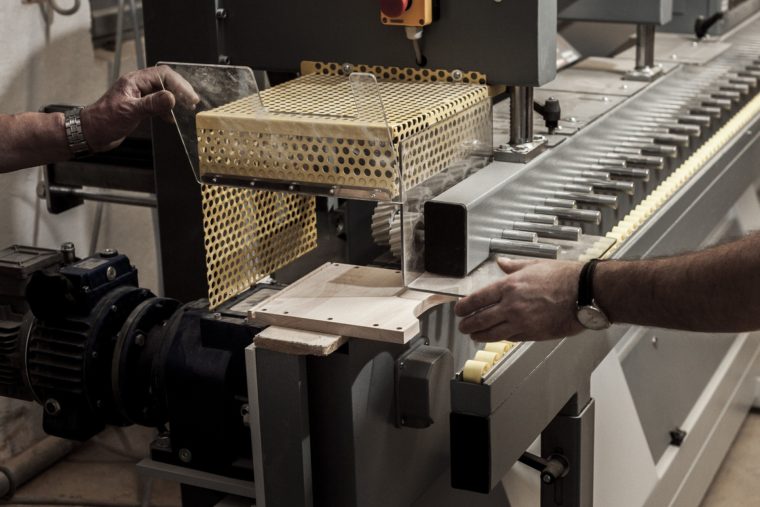
Woodworking
Transform custom order drawings into structured production data without manual re-entry between clients and CNC machines.
Contract Manufacturing and Job Shops
Quote faster and win more business by letting AI check manufacturability, extract drawing data and search past projects for your designers and engineers at the RFQ stage.
Precast concrete and structural engineering
AI that extracts dimensions, reinforcement details, and spatial relationships from structural drawings, so that custom elements no longer cause bottlenecks.
Three steps to start introducing AI into the analysis of your drawings.
We don’t sell software. We solve a specific problem in your process. Every manufacturing operation follows its own standards, drawing conventions and data requirements. Before writing a line of code, we take the time to understand exactly where the bottleneck is and how AI can deliver measurable improvements. Then we build precisely that.

Step 01: Free technical consultation
A senior AI engineer joins a 30 to 60 minute call with your team. We map your current engineering and quoting workflow, identify the points with the most friction, and give an honest assessment of where AI can and can’t help, including what training data is available. No commitment. Remote or on-site.
Step 2: Scoping and pilot design
We define a pilot that fits your systems, data and risk tolerance: a fixed scope, clear success metrics and an agreed timeline. You know exactly what you’re getting and how it will be measured before we start. 1 to 2 days. Fixed deliverable.
Step 03: Pilot on your real drawings
Working AI on your actual data, integrated into your actual workflow. It’s your files, your ERP and your engineers using it, not a demo environment. You measure the result, and we iterate from there. 4 to 8 weeks. Measurable ROI.
Already trusted us










What are examples of AI development services from DAC.digital?

About DAC.digital
Thirteen years building AI for real industrial environments, with 150+ engineers including ML and computer vision specialists.
We built the computer vision systems behind Komatsu’s autonomous forestry equipment, eliminated 90% of defects in furniture production, and developed automated inspection systems for complex technical assemblies.
AI for technical drawings is our next frontier. Recognised as one of Deloitte and FT’s fastest-growing companies four times, ISO 27001 certified, with enterprise-grade security.





Subscribe our Newsletter
Anything else we should know?
Optional, and you are already subscribed. It only helps us write for the right reader.
You are on the list.
The next one lands in your inbox. Nothing else — we do not pass your address on.
FAQ
Does this replace our CAD software or our engineers?
No. This isn’t about picking the best AI tool off a shelf: this AI software works alongside your existing CAD platform and ERP, not instead of them. It’s built for manufacturing companies where designers and engineers need to stay focused on engineering, not manual data entry. Every AI-extracted reading is presented for review before it’s used in a quote or sent to production, so you get the speed and value of automated data extraction without losing control.
What file formats and CAD files does it work with?
That depends on your drawings: whether they follow standard forms and title blocks or your own conventions, and whether you’re working from native CAD files or exported formats. Tell us what you’re working with in the free consultation and we’ll confirm fit.
How accurate is the AI, and what happens with edge cases?
Most drawings are read cleanly: the AI analyzes each drawing as an image, not just text, to determine objects, dimensions, symbols, notes and annotations in context. For edge cases, drawings that don’t follow standard forms, unusual layouts or missing detail, the system flags and reports what it isn’t confident about, and an engineer reviews it before anything moves downstream.
What data do we need to get started?
A handful of representative drawings, and where available, past quotes or nesting layouts. We check what training data is available during the free technical consultation, and help identify the best use cases and business value for your workflow before proposing a pilot.
Does it integrate with our ERP or PLM systems?
It connects to your ERP, CAD platform and document systems without replacement, now and as your systems evolve in the future. PLM integration depends on your specific setup: tell us your systems in the free consultation and we will confirm fit.
Can this help with compliance or quality assurance requirements?
That depends heavily on your industry, including construction, and your drawing standards. If a peer review or QA process is already part of your workflow, mention it in the free consultation so we can confirm whether it’s covered for your specific setup.
Is this the same as your Agentic AI services?
No. This is a focused solution for reading technical drawings and CAD files, not a general digital transformation or AI agents initiative. If you are exploring broader, more advanced agentic AI for your business, see our Agentic AI Solutions.
Ready to tell us about your project? Describe what you’re working on in the form below.
Contact us!
Send us an email: [email protected]